
Screenshots
App details
- Updated
- Mar 21, 2013
- Language
- Spanish,English,Portuguese,Català
- Developer
- Papayaten
- Category
- Mobile
SoftPas in:
This product is also available in the following languages:
About Papaya10
Download Papaya10 – Computer Diagnostics, Internet Troubleshooting, Mobile Device Support
Overview
Papaya10 is a mobile application designed to deliver technical assistance for a broad range of issues affecting computers, internet services, and mobile devices. Positioned as a comprehensive support platform, it aims to simplify the process of identifying and resolving common technical problems. The app’s core functionality centers around the TestIT application, which performs diagnostic scans on a user’s device to detect potential system issues and recommend corrective actions. This makes Papaya10 particularly useful for individuals seeking quick, accessible solutions without requiring advanced technical knowledge.
The target audience includes both novice users and those with intermediate technical experience who need reliable tools to maintain their digital environments. Whether troubleshooting slow performance, connectivity issues, or system vulnerabilities, Papaya10 offers a centralized interface to initiate diagnostics and access support. Its long-standing presence in the market, dating back to its release on March 21, 2013, reflects its continued relevance in the utilities category. The app is available at no cost, making it accessible to a wide user base.
Real-world use cases include diagnosing internet connectivity problems, checking for software conflicts, and evaluating system optimization needs. In the broader app ecosystem, Papaya10 serves as a utility tool that bridges the gap between casual users and professional IT support. By offering immediate diagnostics and a direct line to technical assistance, it enhances user autonomy while providing a safety net when more complex solutions are needed.
Key Features & Functionality
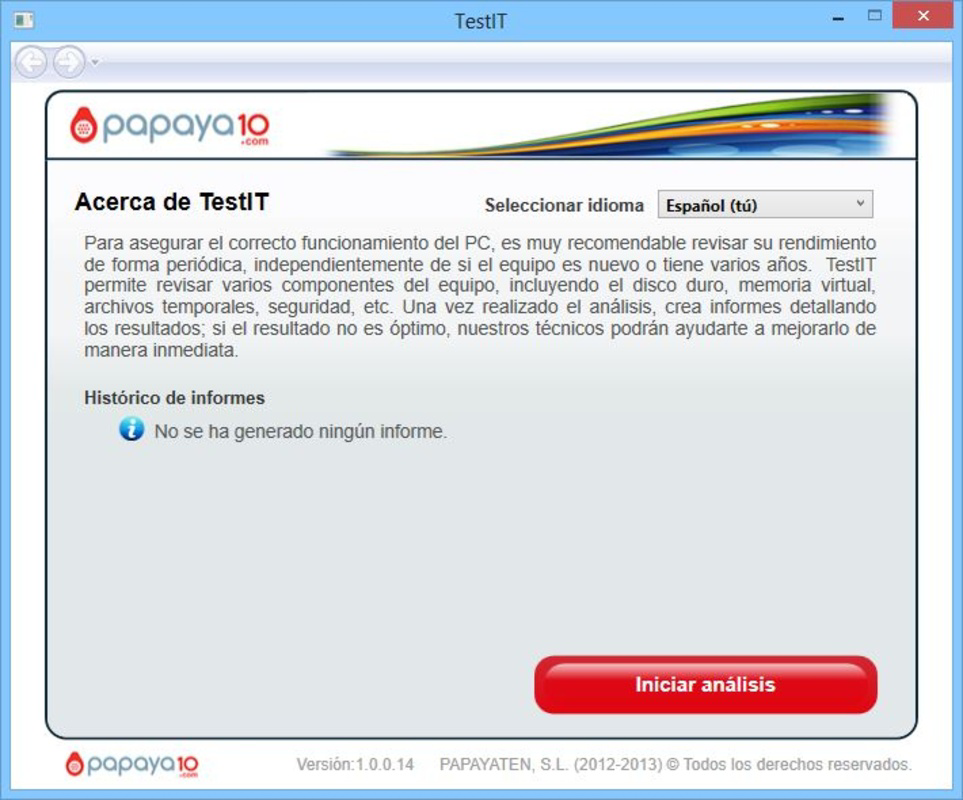
- User-Friendly Interface: The TestIT application features straightforward menus and intuitive navigation, enabling users of all experience levels to initiate scans and interpret results without confusion.
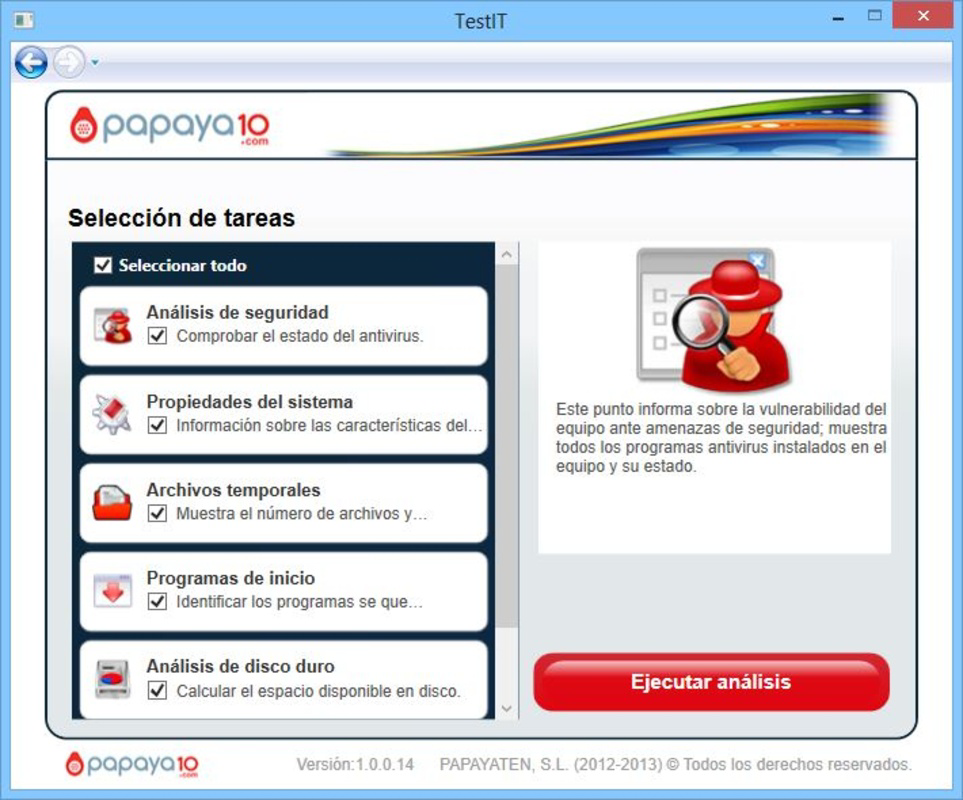
- Comprehensive Problem Analysis: Users can select specific components for inspection or run a full system scan, allowing for customized diagnostics based on individual needs and concerns.
- Targeted Diagnostics: The app performs safety and optimization checks across critical system areas, helping users identify vulnerabilities, performance bottlenecks, and configuration errors.
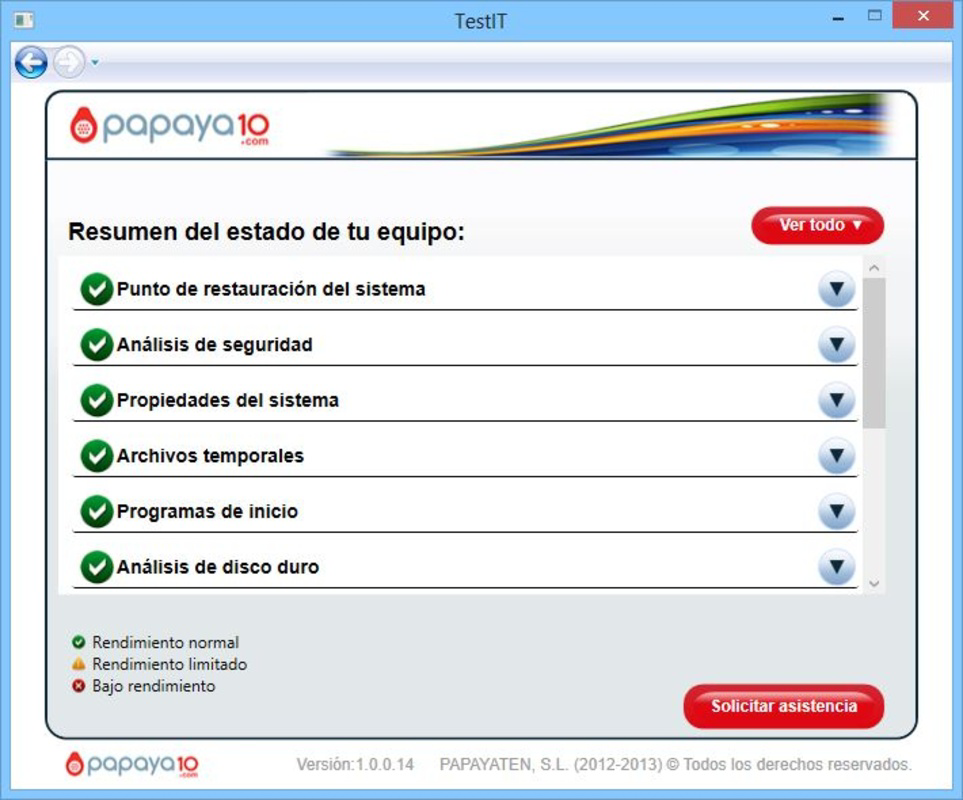
- Clear Results and Recommendations: After scanning, users receive detailed reports that outline the current state of their system, highlighting areas requiring attention with actionable guidance.
- Direct Support Integration: When issues are detected, the app provides a seamless connection to Papaya10’s technical support team, enabling users to seek further help without leaving the application.
For example, a user experiencing frequent internet drops can initiate a network-specific scan to detect interference, router misconfigurations, or software conflicts. Similarly, someone noticing sluggish performance can run a full system analysis to uncover background processes, outdated drivers, or disk fragmentation. The ability to tailor the scan scope ensures efficiency and reduces unnecessary data processing.
These features collectively empower users to take proactive steps in maintaining their devices. The integration of diagnostic tools with real-time support creates a cohesive user journey, minimizing downtime and improving confidence in managing digital systems independently.
Interface, UX & Performance
The interface of Papaya10 is structured around clarity and accessibility. The app employs a clean layout with minimal visual clutter, emphasizing functionality over ornamentation. Navigation is linear and consistent, allowing users to move from scan initiation to result interpretation with minimal friction. Key actions such as starting a diagnostic, viewing results, and contacting support are placed within easy reach of the main screen.
Visual design leans toward simplicity, using neutral colors and clearly labeled icons to guide users through each step. The text is legible, and the interface adapts to various screen sizes, ensuring usability across different Android devices. Although the developer did not list formal performance metrics, the app’s design suggests a focus on responsiveness and stability during operation.
Performance is expected to be efficient given the app’s size of 100 MB and its focus on diagnostic tasks rather than resource-intensive operations. Users should experience smooth transitions between screens and prompt feedback during scans. While specific benchmarks were not provided, the app’s long-standing release history implies a level of reliability and compatibility with current Android versions. The absence of reported crashes or instability in public sources further supports its operational consistency.
Platform Compatibility & Technical Requirements
Papaya10 is available exclusively on the Android platform. The current version is 1.0.0, with a file size of 100 MB. The app is offered at no cost, making it accessible to users seeking free technical support tools.
The developer did not specify minimum OS requirements or device compatibility details. As such, users should ensure their device meets standard Android operating system standards for app installation. Compatibility information was not fully disclosed, so installation success may vary depending on the device’s hardware and software configuration. The developer did not provide additional technical details regarding RAM, processor, or storage requirements.
Pros and Cons
Pros
- Free to download and use, reducing barriers to access.
- Intuitive interface suitable for users with no technical background.
- Offers both targeted and full system diagnostic scans.
- Provides clear, actionable results after each scan.
- Includes direct access to technical support for unresolved issues.
Cons
- Specific compatibility requirements were not listed.
- Performance metrics and optimization details were not disclosed.
- App size may be considered large for lightweight utility tools.
- No public information on update frequency or development roadmap.
- Limited visibility into backend scanning algorithms or data usage.
FAQ
Is Papaya10 safe to install on my Android device?
Yes, Papaya10 is designed as a utility app focused on diagnostics and technical support. It does not contain known malware or harmful components. However, users should ensure they download the app from official sources to maintain security.
Can I use Papaya10 to troubleshoot my internet connection?
Yes, the app includes diagnostic tools that can analyze network-related issues, such as connectivity drops, slow speeds, or configuration errors, helping users identify potential causes.
Does Papaya10 require internet access to function?
While basic scanning may operate offline, full functionality—such as accessing support or receiving updated recommendations—requires an active internet connection.
How often should I run a diagnostic scan?
There is no fixed schedule. Users may run scans when experiencing performance issues, after installing new software, or as a routine check to maintain system health.
Is Papaya10 available for iOS devices?
The current information indicates that Papaya10 is only available for Android. No iOS version has been announced or released.
Final Thoughts
Papaya10 stands out as a dependable utility tool for users seeking accessible technical assistance across multiple digital platforms. Its blend of diagnostic scanning, user-friendly design, and integrated support makes it a valuable resource for both everyday users and those managing multiple devices. The app’s long-standing presence in the market speaks to its reliability and consistent functionality.
While specific technical details remain limited, the app’s core value lies in its ability to simplify complex issues and guide users toward solutions. For individuals who need a secure, free, and straightforward way to diagnose system problems and connect with help, Papaya10 offers a practical solution. Its focus on usability and real-world applicability ensures it remains relevant in the evolving mobile app landscape.
Download Papaya10 now
Guides & Tutorials
How to install Papaya10
- Click the Download button above.
- Once redirected, accept the terms and click Install.
- Wait for the Papaya10 download to finish on your device.
How to use Papaya10
This software is primarily used for its core features described above. Open the app after installation to explore its capabilities.
User Reviews
No reviews yet. Be the first to share your experience.
You may also like
more
Que no te pillen¡
About !Que no te pillen¡Reviewed by Jason A. BilbreyShow MoreShow Less

3D Combat Zone
About 3D Combat ZoneOriginally released in 1983, 3D Combat Zone immerses players...

666: El día del portal
About 666: El día del portalOn June 6, 2006, Agent P. Stone uncovers a sinister...

80 in 1 Best Flash games
About 80 in 1 Best Flash games 80 in 1 Best Flash games is a collection of 80 fl...

ABYSS SEEKERーーWhat Do You See Deep in The Abyss
About ABYSS SEEKERーーWhat Do You See Deep in The AbyssIn ABYSS SEEKER, players...

ACA NEOGEO THE KING OF FIGHTERS 2002 for Windows
About ACA NEOGEO THE KING OF FIGHTERS 2002 for WindowsTHE KING OF FIGHTERS 2002,...